Workflows
The Workflows section of the Insight portal is a live YAML editor and visual graph viewer for all your workflow definition files. Every change you save is immediately reflected in the running engine.
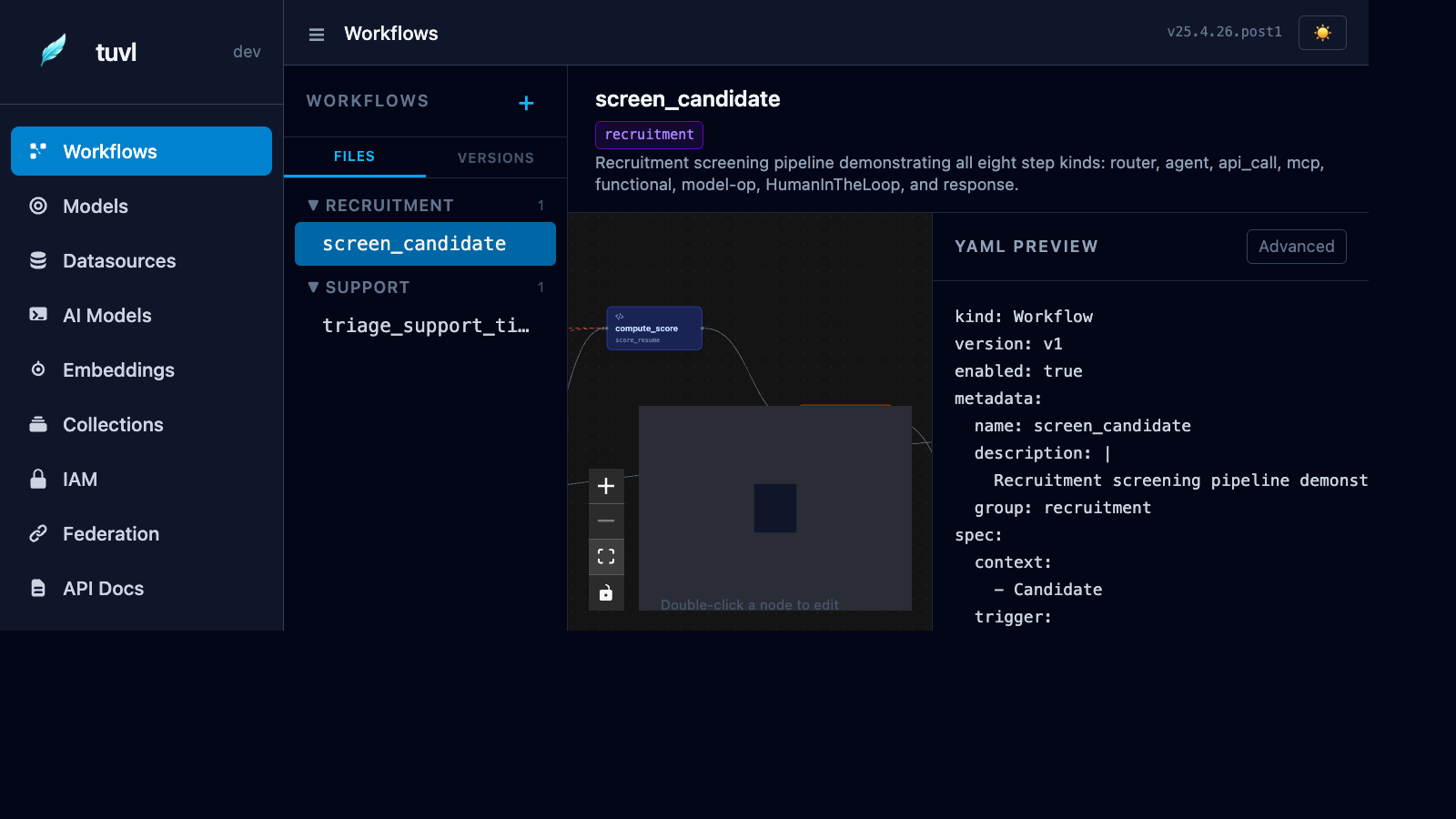
File list
The left sidebar lists every *.yaml file found under your project's workflows/ directory. Click any file to open it in the editor panel.
A coloured dot indicates the status:
| Indicator | Meaning |
|---|---|
| Green dot | Workflow is loaded and enabled in the engine |
| Grey dot | File is present but enabled: false |
| Red dot | File failed to parse or load |
YAML editor
The main panel shows the raw YAML for the selected workflow. You can edit it directly in the browser — the editor provides syntax highlighting and basic validation.
Click Save to write the file to disk. The engine hot-reloads the file automatically (no restart needed in dev mode).
Click Cancel to discard unsaved edits and restore the last saved state.
Visual graph
Switch to the Graph tab to see a node-by-node canvas of the workflow execution path. Each step kind is rendered in a distinct colour:
| Node colour | Step kind |
|---|---|
| Blue | agent — LLM call |
| Green | functional — Python node |
| Purple | api_call — external HTTP call |
| Orange | mcp — MCP tool call |
| Teal | model-op — repository operation |
| Yellow | hitl — human-in-the-loop pause |
| Red | router — conditional branching |
| Grey | response — terminal response step |
Arrows between nodes show the routes declared in the YAML. Click Fit view to auto-zoom the canvas to the full graph.
Versions tab
The Versions tab shows the full version history for the selected workflow, including the hash, timestamp, and diff from the previous version. tuvl records a new version entry every time a workflow file changes on disk.
Creating a workflow
Click the + button at the top of the sidebar to scaffold a new workflow file. tuvl creates a minimal skeleton YAML:
Rename the file by changing the metadata.name field and saving — tuvl renames the file on disk to match.
Example workflow YAML
The sample project includes screen_candidate, a full-featured workflow with all eight step kinds:
kind: Workflow
version: v1
metadata:
  name: screen_candidate
  description: >
    AI-powered candidate screening pipeline.
    Saves the candidate, scores their CV with an LLM,
    enriches with LinkedIn data, and routes to the correct HR queue.
enabled: true
spec:
  steps:
    - id: save_draft
      kind: model-op
      op: add
      model: Candidate

    - id: score_cv
      kind: agent
      agent:
        model: default
        prompt: |
          Score this candidate's CV from 0-10.
          Name: {{ full_name }}
          Experience: {{ experience_years }} years
          Skills: {{ skills }}
          Return JSON: {"score": <int>, "summary": "<str>", "route": "strong|average|weak"}
      routes:
        strong: fast_track
        average: standard_review
        weak: reject

    - id: fast_track
      kind: functional
      runner: notify_hr_fast_track

    - id: standard_review
      kind: functional
      runner: notify_hr_standard

    - id: reject
      kind: response
      response:
        status: 200
        body: '{"message": "Thank you for applying. We will be in touch."}'