AI Models
The AI Models section configures your AgentModel definitions — the LLM connections that power agent steps in your workflows. tuvl uses LiteLLM under the hood, which means you can connect to any major LLM provider with a single config file.
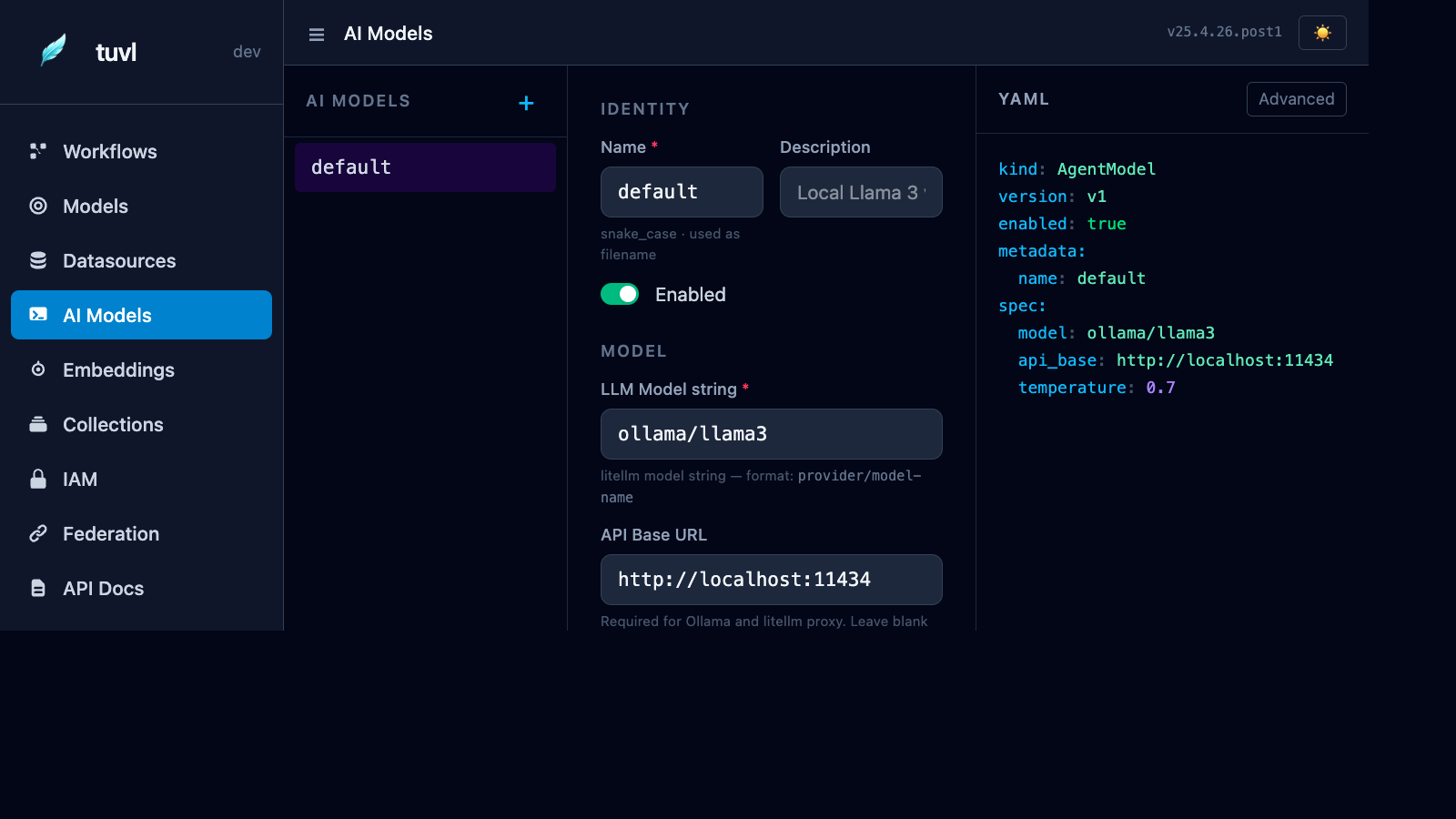
File list
The sidebar lists every file in your project's llms/ directory. Click any file to open the model editor.
Form editor
The form is split into three sections:
Identity
| Field | Description |
|---|---|
| Name | Snake-case identifier used to reference this model in workflow YAML (e.g. default) |
| Description | Human-readable label shown in the portal |
| Enabled | Toggle to disable the model without deleting the file |
Model
| Field | Description |
|---|---|
| LLM Model string | LiteLLM model identifier in provider/model-name format |
| API Base URL | Required for Ollama, LiteLLM proxy, or self-hosted deployments |
| API Key | Provider API key; use ${ENV_VAR} syntax to avoid hardcoding secrets |
Parameters
| Field | Description |
|---|---|
| Temperature | Sampling temperature (0 = deterministic, 2 = creative). Default: 0.7 |
| Max Tokens | Maximum completion length. Leave blank to use the provider default |
| Timeout | Completion timeout in seconds. Default: 60 |
AgentModel YAML format
kind: AgentModel
version: v1
enabled: true
metadata:
  name: default
  description: Local Llama 3 via Ollama
spec:
  model: ollama/llama3
  api_base: http://localhost:11434
  temperature: 0.7
  timeout: 60
Provider examples
Run Ollama locally: ollama serve then ollama pull llama3.
Using an AI model in a workflow
Reference the model by its metadata.name value in an agent step:
- id: score_cv
  kind: agent
  agent:
    model: default          # matches AgentModel metadata.name
    prompt: |
      Score this CV: {{ full_name }}, {{ experience_years }} years experience.
      Return JSON: {"score": <int>, "route": "strong|weak"}
  routes:
    strong: fast_track
    weak: reject
The agent step passes the rendered prompt to the LLM, parses the JSON response, and routes to the step named in routes based on the route field of the response.
Multiple models
You can define as many AgentModel files as you need. A common pattern is:
llms/default.yaml— local Ollama model for fast iterationllms/production.yaml— GPT-4o or Claude for production qualityllms/judge.yaml— a dedicated model for LLM-as-a-Judge test evaluation
Reference them by name in each workflow step.