Settings
The Settings section configures project-level infrastructure and observability integrations. Changes are written to YAML config files and take effect after a reload.
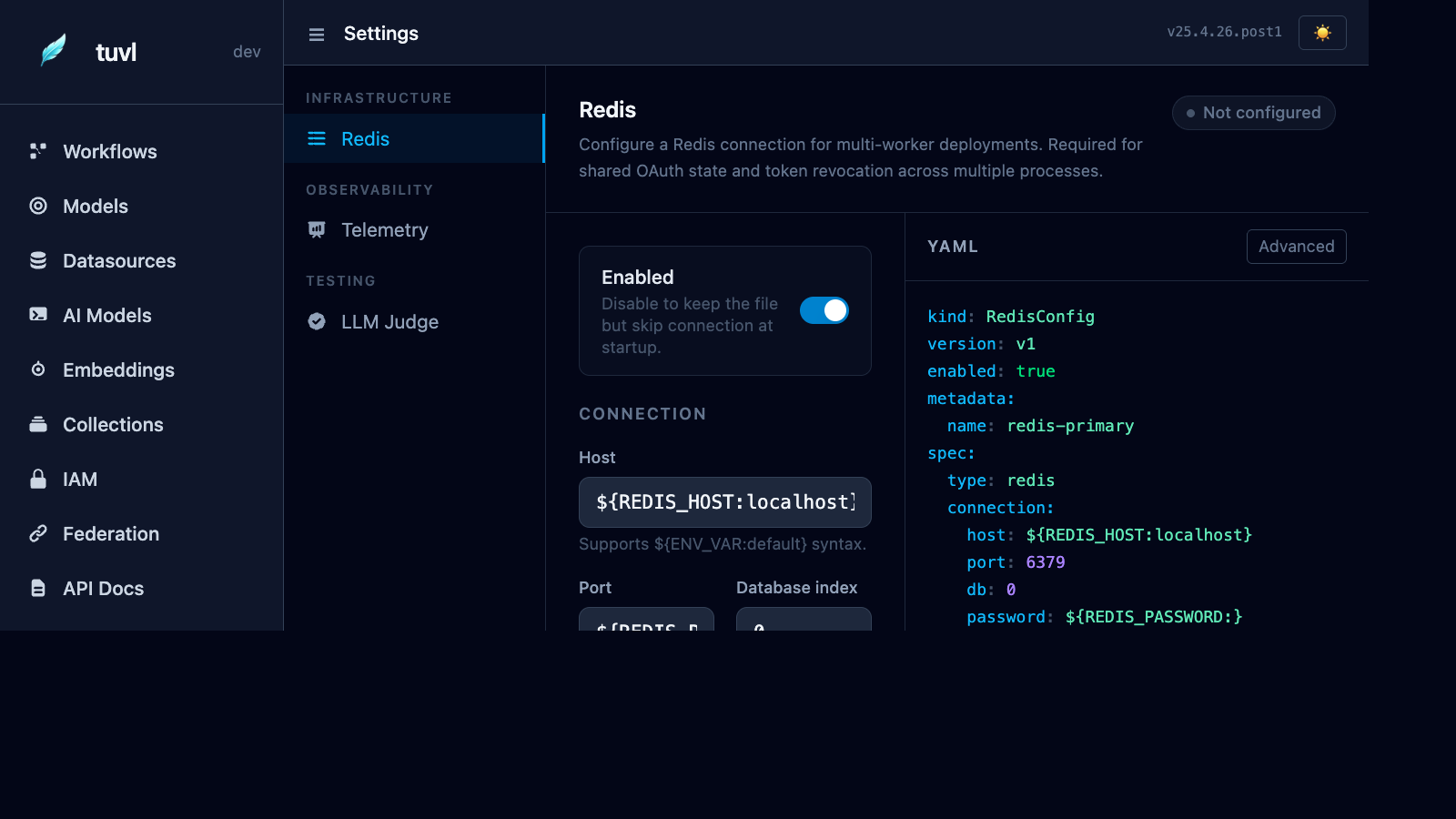
Navigation
The left panel groups settings into four categories:
| Category | Item | Purpose |
|---|---|---|
| Infrastructure | Redis | Shared state for multi-worker deployments |
| Observability | Telemetry | OpenTelemetry trace and metric export |
| Security | API Access | Control which HTTP API surfaces are mounted |
Redis
Redis is required when running tuvl with more than one uvicorn worker. Without Redis, OAuth2 CSRF state tokens and token revocation lists (and session ends) are stored only in each worker's memory — causing random failures when a request lands on a different worker than the one that started the session.
Redis YAML format
kind: RedisConfig
version: v1
enabled: true
metadata:
  name: redis-primary
spec:
  type: redis
  connection:
    host: "${REDIS_HOST:localhost}"
    port: "${REDIS_PORT:6379}"
    db: 0
    password: "${REDIS_PASSWORD:}"
Redis fields
| Field | Description | Default |
|---|---|---|
host |
Redis server hostname | localhost |
port |
Redis port | 6379 |
db |
Database index (0–15) | 0 |
password |
AUTH password (leave blank for no auth) | (empty) |
env var syntax
All fields support ${ENV_VAR:default} substitution. Set REDIS_HOST, REDIS_PORT, and REDIS_PASSWORD in your .env file or environment.
Telemetry
tuvl ships with built-in OpenTelemetry support. Traces and metrics can be exported to any OTLP-compatible backend (Jaeger, Tempo, Honeycomb, Datadog, …).
Telemetry YAML format
kind: TelemetryConfig
version: v1
enabled: true
metadata:
  name: otel
spec:
  exporter: otlp-grpc              # otlp-grpc | otlp-http | jaeger | console
  endpoint: "${OTEL_EXPORTER_OTLP_ENDPOINT:http://localhost:4317}"
  service_name: "${OTEL_SERVICE_NAME:tuvl}"
  sample_rate: 1.0                 # 0.0–1.0  (1.0 = trace everything)
Exporter options
| Exporter | Description |
|---|---|
otlp-grpc |
OpenTelemetry Protocol over gRPC (default) |
otlp-http |
OpenTelemetry Protocol over HTTP/JSON |
jaeger |
Jaeger native UDP exporter (legacy) |
console |
Print spans to stdout — useful for debugging |
See Observability for spans, logs and collector setup (Grafana Tempo, Honeycomb, Datadog).
API Access
Control which HTTP API surfaces are mounted. This edits .tuvl/system.yaml
(kind: SystemConfig) — see Configuration Overview
for the full knob reference.
Expose model CRUD APIs
A toggle for spec.api.expose_model_crud. When off, only workflow APIs are
mounted — /models/* CRUD endpoints return 404. This applies in production too;
the TUVL_EXPOSE_MODEL_CRUD env var overrides whatever is saved here.
Restart required to apply changes
The API surface is mounted once at startup. Save your config here, then
restart the engine with tuvl run (or tuvl dev) for changes to take effect.