Models
The Models section lets you view and edit your ModelDefinition YAML files. tuvl uses these definitions to auto-generate SQLModel classes, Pydantic schemas, and CRUD API endpoints at startup.
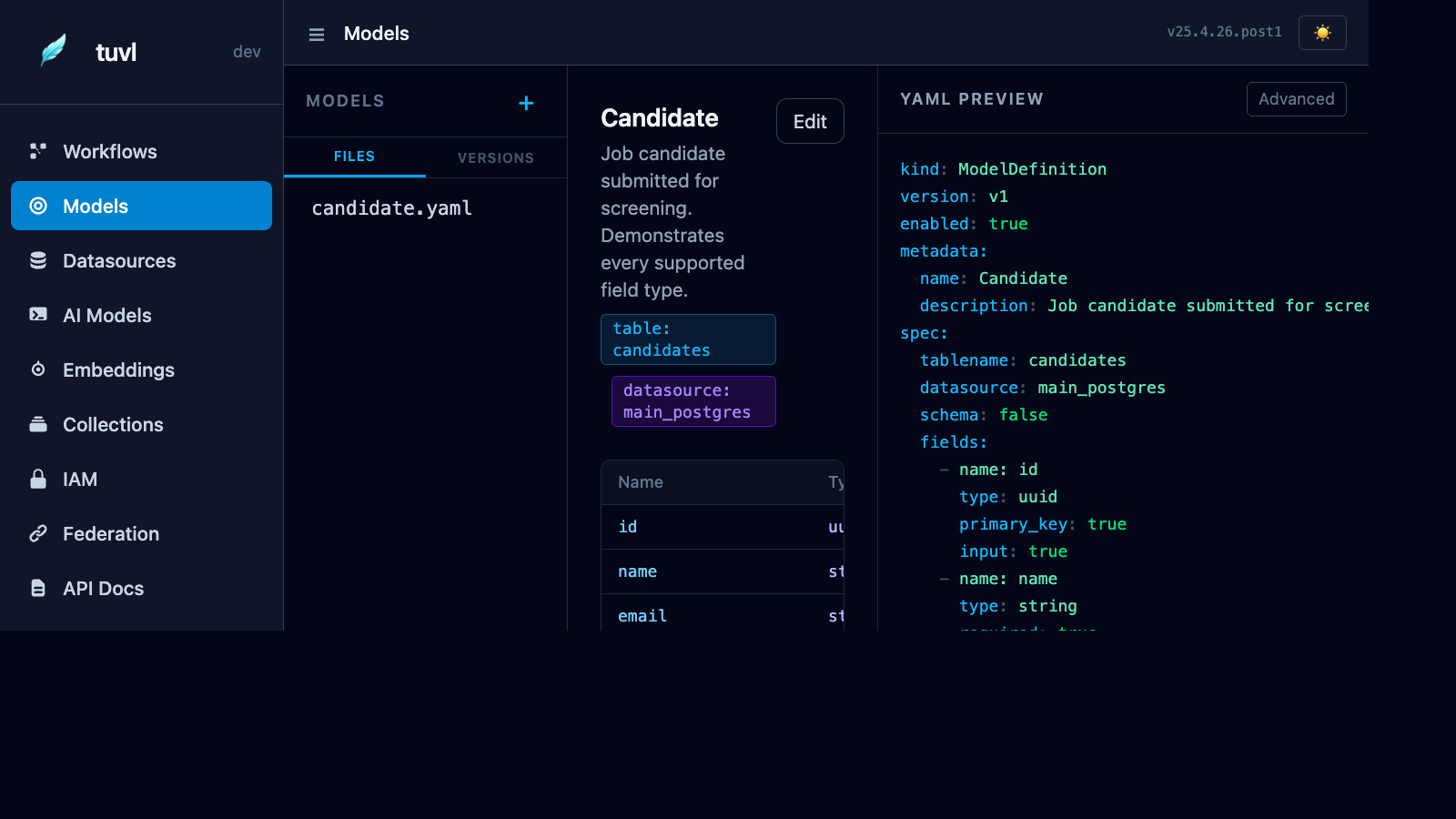
File list
The sidebar lists every file under your project's models/ directory. Click any file to open it.
YAML editor
The editor shows the raw ModelDefinition YAML. Edit it inline and click Save to persist the change. The engine reloads the model registry on the next hot-reload cycle.
ModelDefinition schema
kind: ModelDefinition
version: v1
enabled: true
metadata:
  name: Candidate          # PascalCase — used as the Python class name
spec:
  table: candidates        # PostgreSQL table name (snake_case)
  fields:
    - name: full_name
      type: str
      required: true
    - name: email
      type: str
      required: true
      unique: true
    - name: experience_years
      type: int
      default: 0
    - name: skills
      type: list[str]
      default: []
    - name: status
      type: str
      default: "pending"
Field types
| Type | PostgreSQL column | Python annotation |
|---|---|---|
str |
TEXT |
str |
int |
INTEGER |
int |
float |
DOUBLE PRECISION |
float |
bool |
BOOLEAN |
bool |
list[str] |
JSONB |
list[str] |
dict |
JSONB |
dict[str, Any] |
datetime |
TIMESTAMPTZ |
datetime |
uuid |
UUID |
uuid.UUID |
Every model automatically gets:
id— UUID primary keycreated_at— timestamp with time zoneupdated_at— timestamp with time zone (auto-updated on save)
Auto-generated APIs
When a model is loaded, tuvl mounts CRUD routes at /api/<table-name>/:
| Method | Path | Action |
|---|---|---|
GET |
/api/candidates/ |
List all rows (supports ?limit and ?offset) |
POST |
/api/candidates/ |
Create a new row |
GET |
/api/candidates/{id} |
Read a single row by UUID |
PUT |
/api/candidates/{id} |
Full update |
PATCH |
/api/candidates/{id} |
Partial update |
DELETE |
/api/candidates/{id} |
Delete |
Swagger UI
All generated endpoints appear in the API Docs section of the Insight portal and in the standard /docs Swagger UI.
Using a model in a workflow
List the model in the workflow's spec.models, then read and write it with a tool agent
(use: db) or ctx.db in a code agent:
- id: save_candidate
  description: Store the candidate
  engine: tool
  inputs:  { name: str, email: str }
  outputs: { candidate: Candidate }
  tool: { use: db, model: Candidate, op: create, values: { name: "{{ name }}", email: "{{ email }}" } }
  routes: { default: END, conflict: END.duplicate, error: END.failed }
Operations: create, read, update, delete, list, upsert. Models are also types:
Candidate, Candidate.create, list[Candidate]. CRUD REST routes exist only for models that opt
in with spec.api.crud.
Versions tab
Like workflows, every model definition is versioned. The Versions tab shows the diff history so you can track schema changes over time.