AI Models
The AI Models section configures your AgentModel definitions — the model connections behind llm, loop and decide agents, judges and spec analysis. tuvl uses LiteLLM under the hood, which means you can connect to any major LLM provider with a single config file.
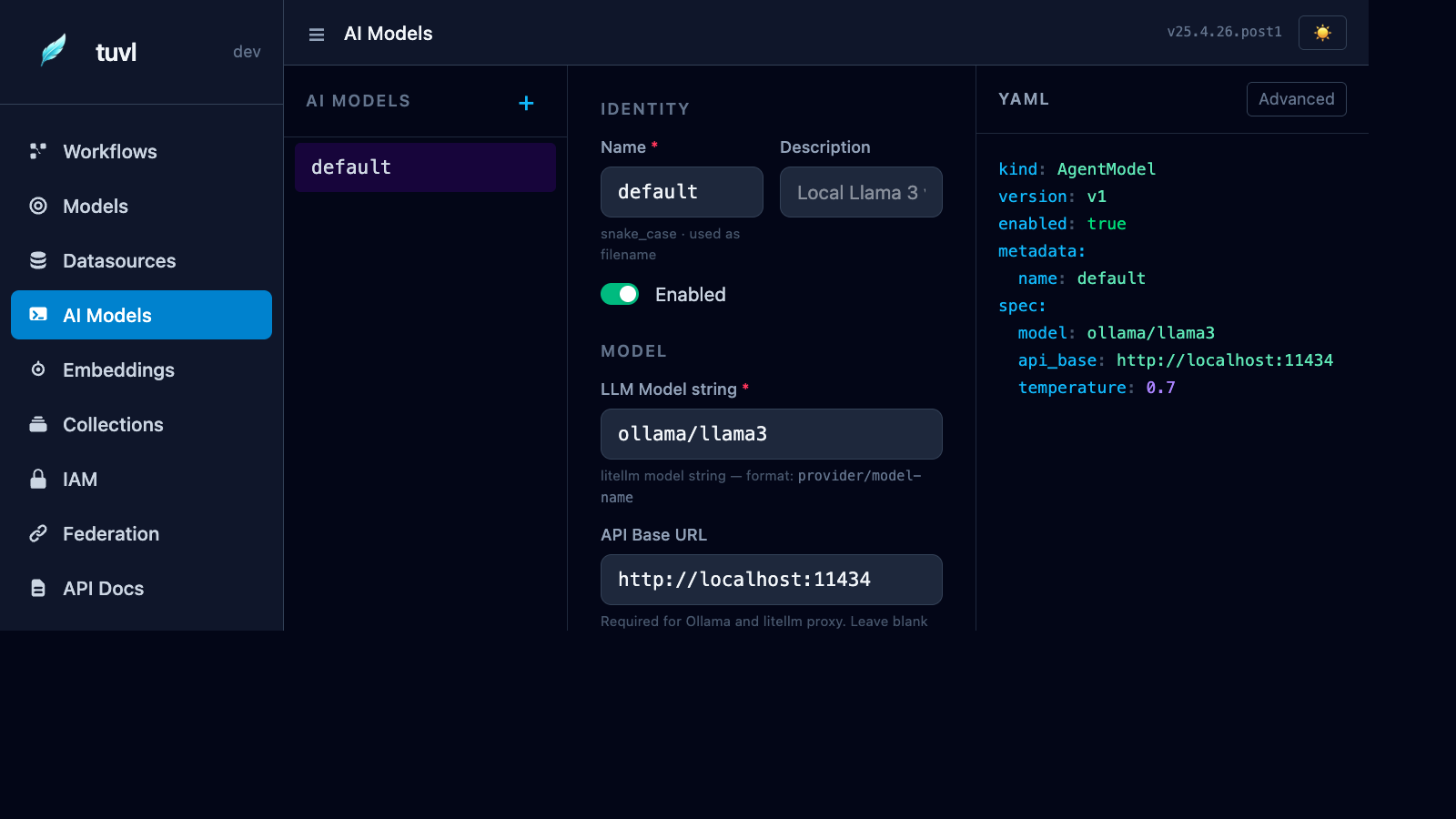
File list
The sidebar lists every file in your project's llms/ directory. Click any file to open the model editor.
Form editor
The form is split into three sections:
Identity
| Field | Description |
|---|---|
| Name | Snake-case identifier used to reference this model in workflow YAML (e.g. default) |
| Description | Human-readable label shown in the portal |
| Enabled | Toggle to disable the model without deleting the file |
Model
| Field | Description |
|---|---|
| LLM Model string | LiteLLM model identifier in provider/model-name format |
| API Base URL | Required for Ollama, LiteLLM proxy, or self-hosted deployments |
| API Key | Provider API key; use ${ENV_VAR} syntax to avoid hardcoding secrets |
Parameters
| Field | Description |
|---|---|
| Temperature | Sampling temperature (0 = deterministic, 2 = creative). Default: 0.7 |
| Max Tokens | Maximum completion length. Leave blank to use the provider default |
| Timeout | Completion timeout in seconds. Default: 60 |
AgentModel YAML format
kind: AgentModel
version: v1
enabled: true
metadata:
  name: default
  description: Local Llama 3 via Ollama
spec:
  model: ollama/llama3
  api_base: http://localhost:11434
  temperature: 0.7
  timeout: 60
Provider examples
spec:
  model: ollama/llama3
  api_base: http://localhost:11434
Run Ollama locally: ollama serve then ollama pull llama3.
spec:
  model: openai/gpt-4o
  api_key: "${OPENAI_API_KEY}"
spec:
model: anthropic/claude-3-5-sonnet-20241022
api_key: "${ANTHROPIC_API_KEY}"spec:
model: openai/my-model
api_base: http://my-litellm-proxy:4000
api_key: "${LITELLM_PROXY_KEY}"spec:
model: azure/my-deployment
api_base: "https://my-org.openai.azure.com"
api_key: "${AZURE_OPENAI_API_KEY}"Using an AI model in a workflow
Reference the model by its metadata.name in an llm or loop agent, a judge, or (for decision
models) a decide agent:
- id: score_cv
  description: Score a CV
  engine: llm
  inputs:  { full_name: str, experience_years: int }
  outputs: { score: int }
  budget:  { timeout: 20s, max_tokens: 800 }
  llm:
    model: default          # matches AgentModel metadata.name
    prompt: Score this CV from 0 to 100.
  routes: { default: END, parse_error: END.failed, timeout: END.failed, budget_exceeded: END.failed, error: END.failed }
The Decision toggle on this page creates type: decision models (laya, jev or litellm) for
the decide engine. For a hosted decision model, set its API base and an
${ENV_VAR} API key there too.
Multiple models
You can define as many AgentModel files as you need. A common pattern is:
llms/default.yaml— local Ollama model for fast iterationllms/production.yaml— GPT-4o or Claude for production qualityllms/judge.yaml— a dedicated model for LLM-as-a-Judge test evaluation
Reference them by name in each workflow step.