Spectrum — Workflow Test Runner
Spectrum is tuvl's built-in visual debugger for workflows. It lets you trigger a complete workflow execution with a custom JSON payload and watch every step fire in real time on the workflow canvas. All node outputs, routing decisions, and context mutations are visible as the run progresses.
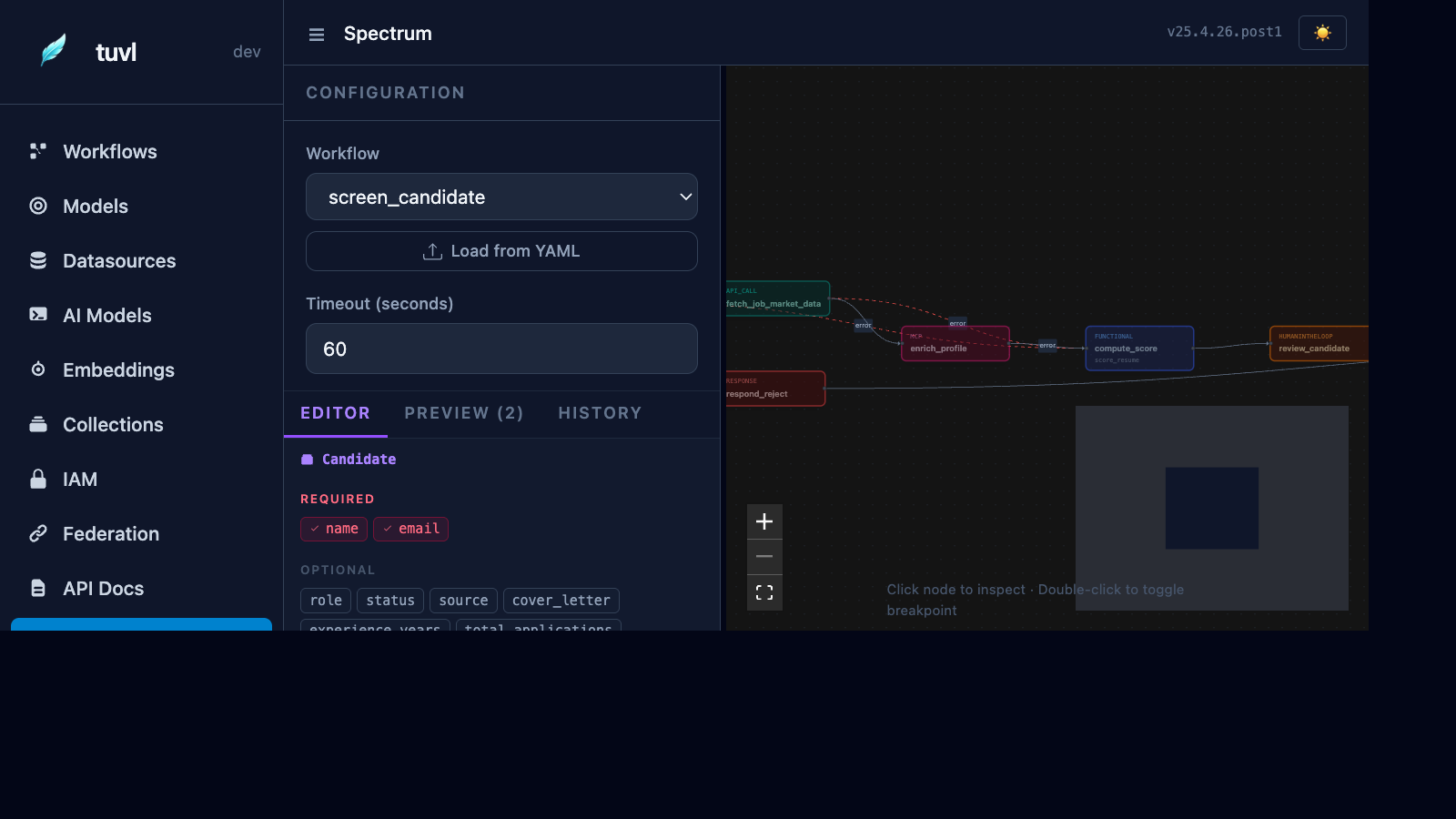
Accessing Spectrum
Click Spectrum in the Insight sidebar. Spectrum is only available in dev mode (TUVL_DEV_MODE=true).
Running a workflow
- Select a workflow from the dropdown at the top.
- The workflow canvas renders below, showing all nodes and edges in the workflow graph.
- Edit the input payload in the JSON editor on the left panel. The editor is pre-populated with a schema-aware skeleton based on the workflow's input model (if defined).
- Click Run to execute the workflow.
Execution canvas
As the workflow runs, each node transitions through states:
| Node state | Colour | Meaning |
|---|---|---|
| Pending | Grey | Not yet reached |
| Running | Blue pulse | Currently executing |
| Completed | Green | Finished successfully |
| Routed away | Faded | Skipped due to routing |
| Error | Red | Node threw an exception |
Clicking a completed node opens a side panel showing:
- Input context — the
ctxdict that was passed in - Output context — the
ctxdict returned - Duration — execution time in milliseconds
- Error — stack trace if the node failed
Step-through mode (breakpoints)
Click the pause icon on any node before running to set a breakpoint. Spectrum pauses execution after that node and waits for you to click Continue. This is useful for inspecting intermediate context values.
Streaming output
Long-running workflows (e.g. those with HITL steps) show intermediate events as they arrive via Server-Sent Events. The event log panel at the bottom of Spectrum lists every step event in order.
Lens — single node testing
From the node detail panel, click Run in Lens to execute just that one node in isolation against any input context you specify. Lens is useful for testing individual Python functions or agent prompts without running the full workflow.
See Spectrum — Workflow Debugging for the full gRPC API reference for Lens and Spectrum.
Example: testing the candidate screener
With the sample project running, select screen_candidate from the dropdown and paste:
{
  "full_name": "Jane Smith",
  "email": "jane@example.com",
  "experience_years": 7,
  "skills": ["Python", "FastAPI", "PostgreSQL", "Machine Learning"]
}
Click Run. You will see:
save_draft→ green (candidate saved to DB)score_cv→ green (LLM scores Jane's CV)fast_track→ green (LLM routed tostrong→fast_track)
The other branches (standard_review, reject) stay grey.